Order a North Carolina Crash Report on myNCDMV
Order a North Carolina crash report on myNCDMV. To get started, log into myNCDMV (see Create a Profile on myNCDMV) and follow the steps below:
-
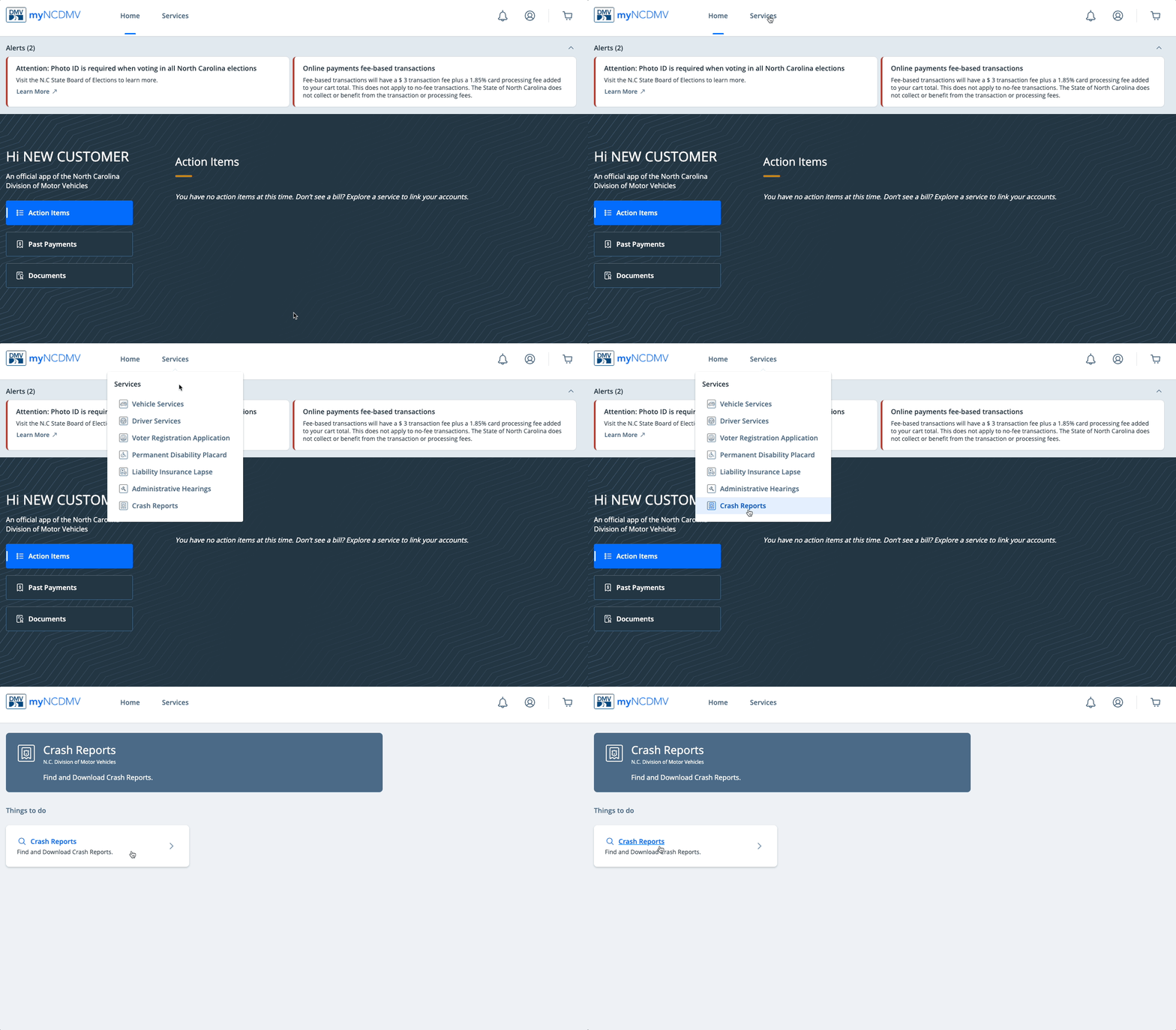
Select Crash Reports from the "Services" drop down menu and click Crash Reports
-
Complete the required fields, select the appropriate responses and click Add to Cart
-
Click the cart icon in the upper right corner and select Continue to Checkout
-
Select a payment method and click the blue Pay $--.-- button to submit your payment
Related step-by-step guides: